
Intro
GradImages does event and graduation photography. Students and parents can purchase their photos singly, with frames, or in a variety of packages.
As the Marketing Team’s UX designers, my boss Fassy Veith and I looked into adding new upsell and cross-sell opportunities as well as refining the photo enhancement feature.
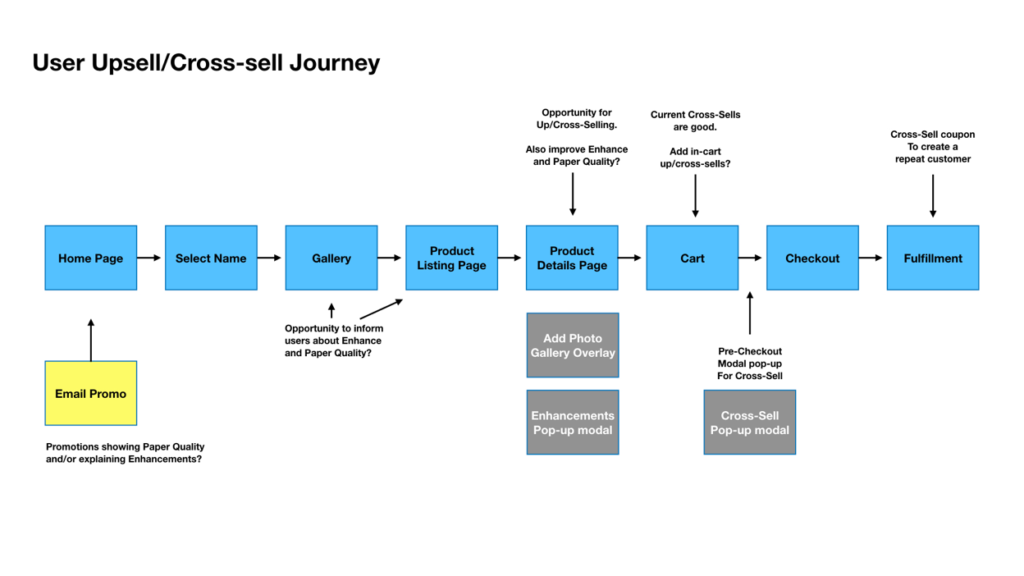
Areas of Opportunity
Marketing Goal: Increase sales by updating and adding Upsell and Cross-Sell opportunities.
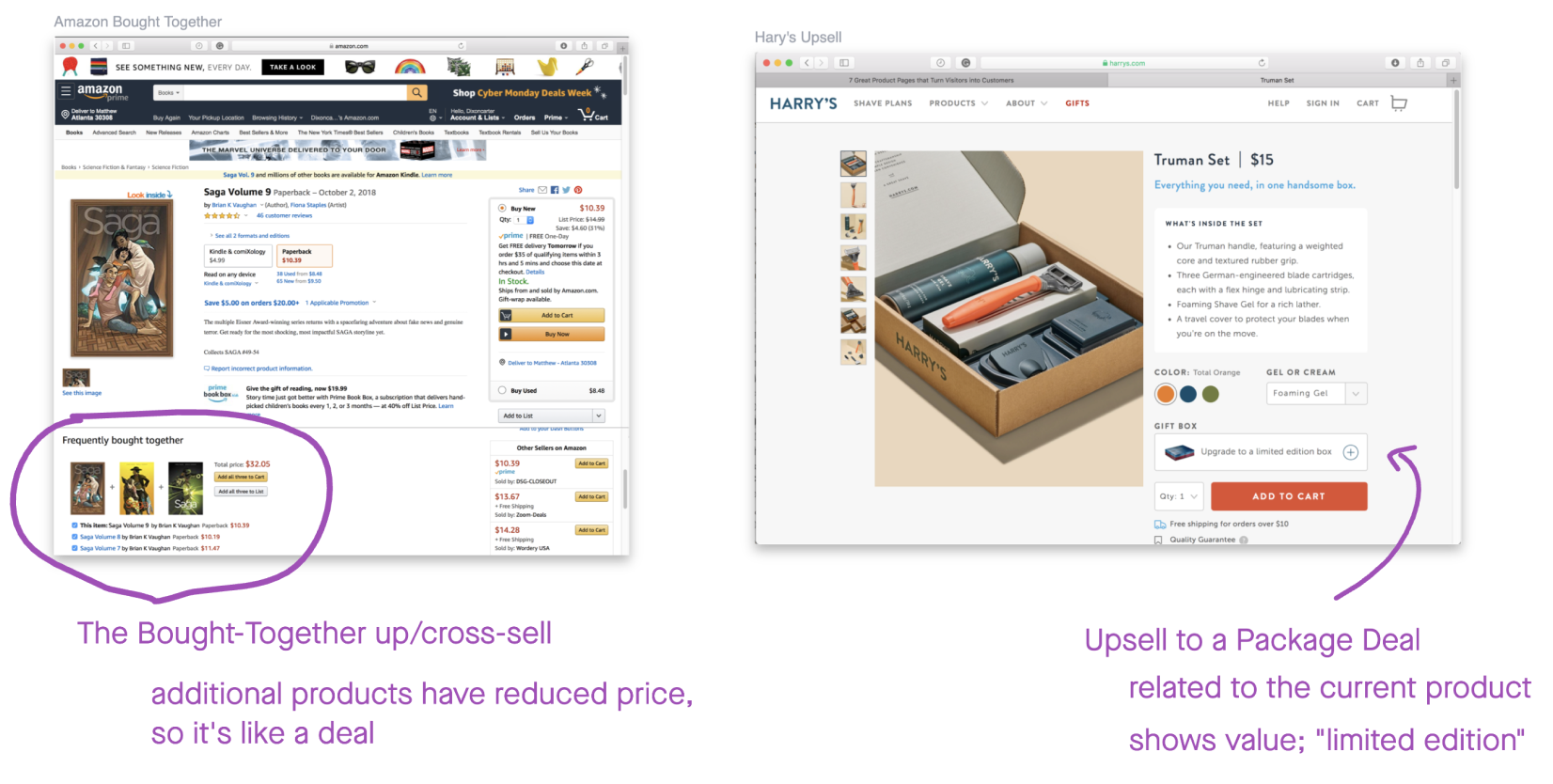
Showing Value
UX Goal: Apply upsell and cross-sell features according to best practices. Use strategies that make the features relevant, useful, and easy.
Key Components
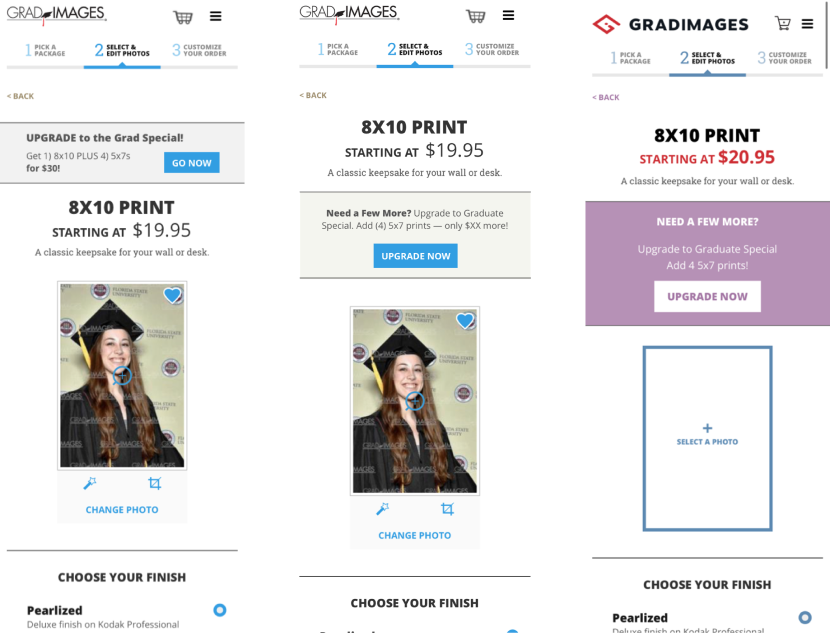
- Header showing the customer can get more.
- Copy showing the customer what extra and/or for how much.
- CTA copy reinforcing the value/upgrade relationship of the offer.
Strategy
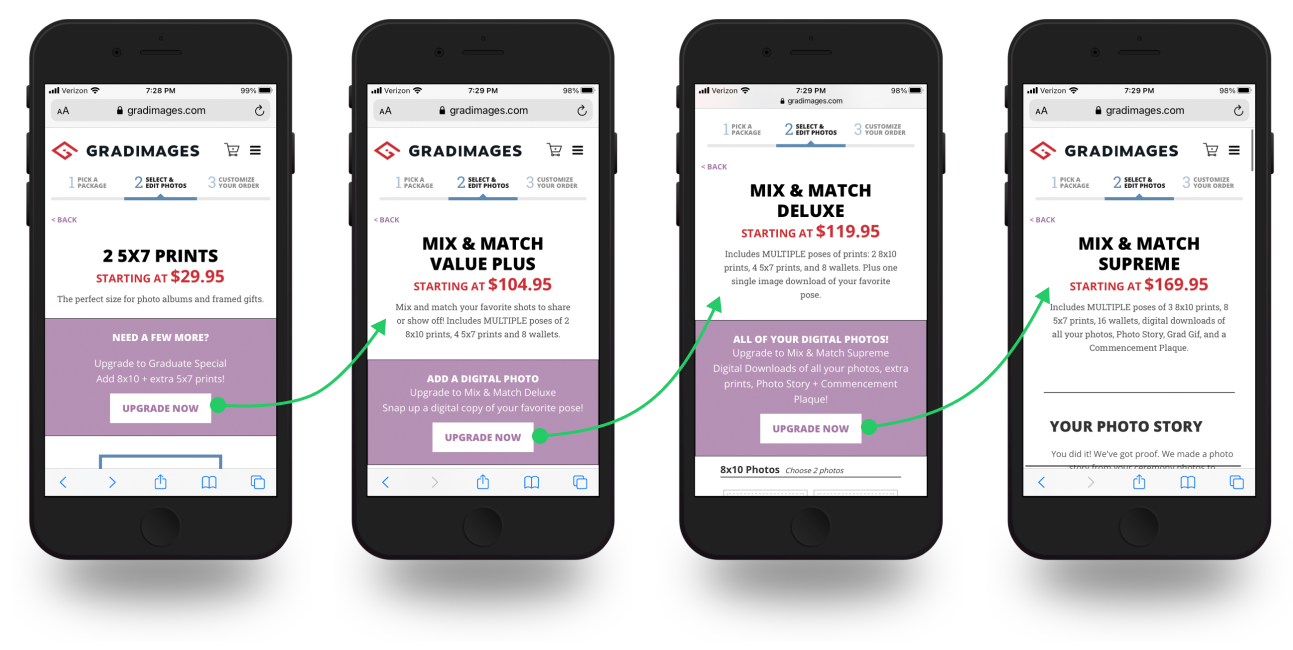
Identify product packages that are related to each other. Show what the next package up offers on top of the currently viewed package.
Enhance!
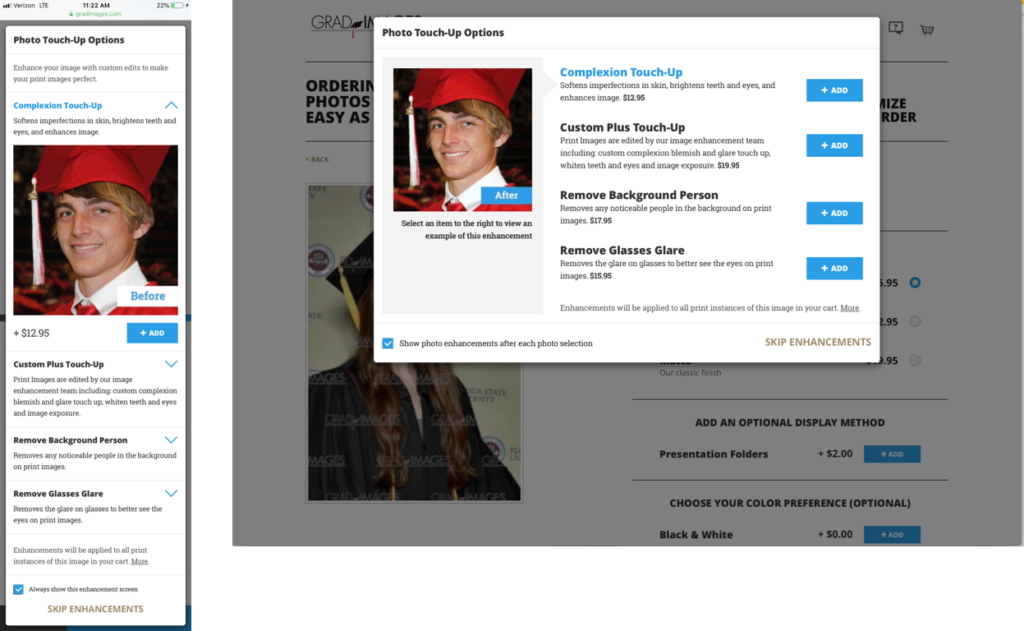
Major issues for customers using the Touch-Ups product.
- Customers did not understand what some of the Touch-up options were.
- Animated GIFs showed the before and after
- Customers did not see a clear difference in the imagery.
- Remove Background Person did not work the way we, or the customers, understood.
- Two terms being used for the product name; Touch-ups and Enhancements.
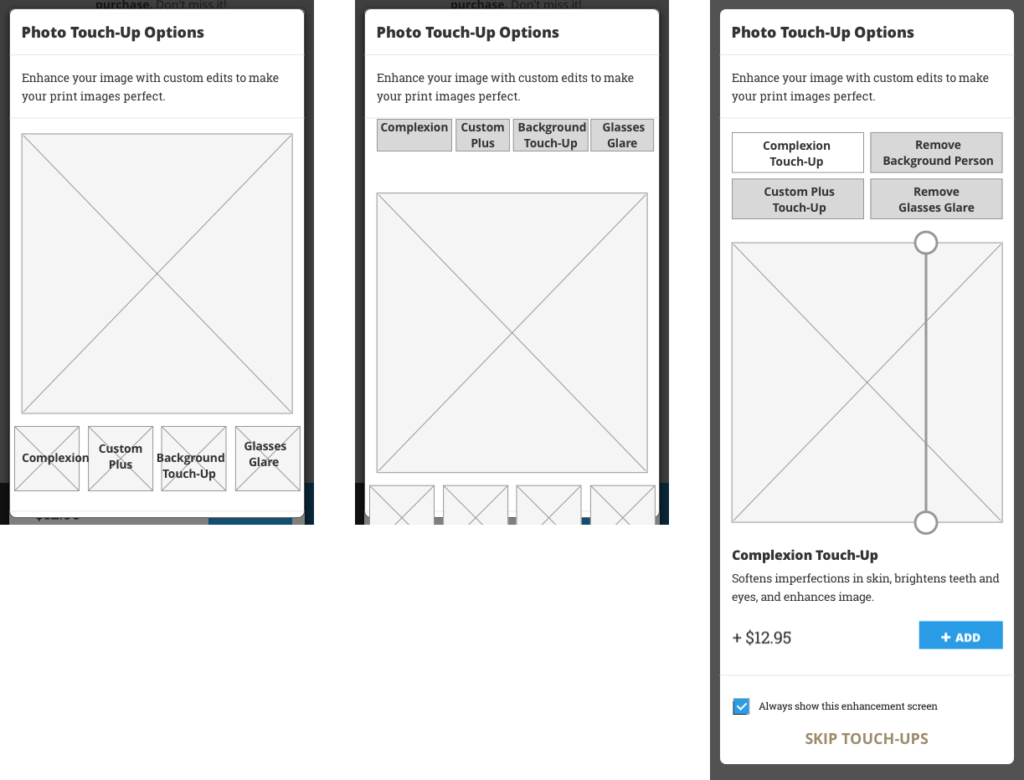
Exploring placement of Touch-Up options and other components.
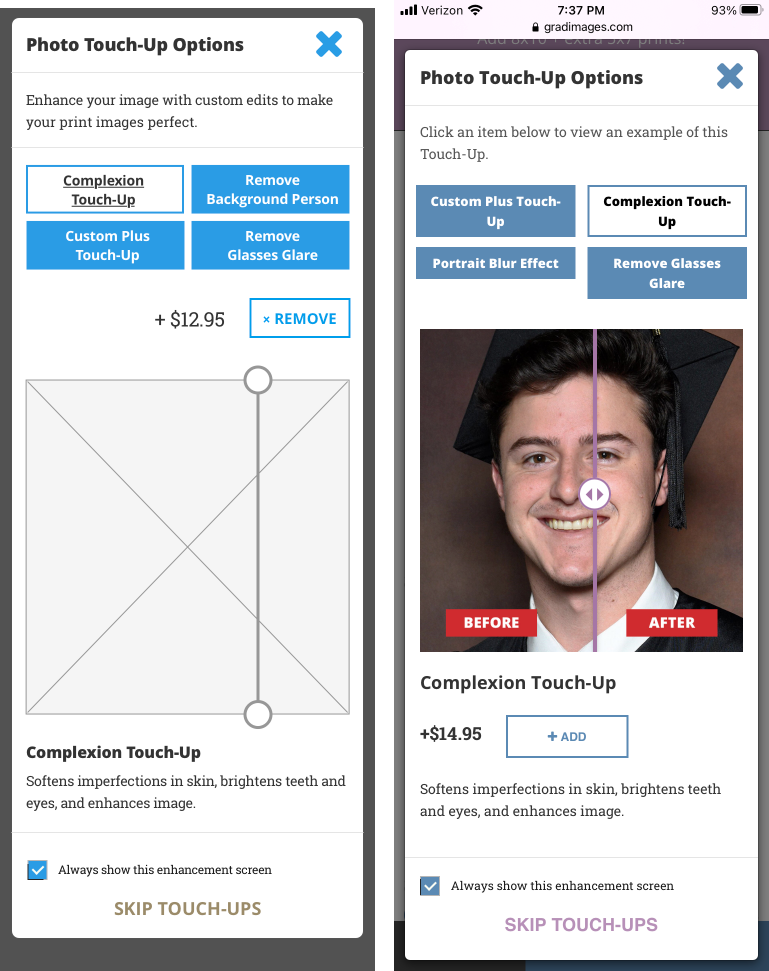
We also thought an image comparison slider would help customers see the before/afters better and let them control the experience.
Delivered photo touch-up screens and the final product.
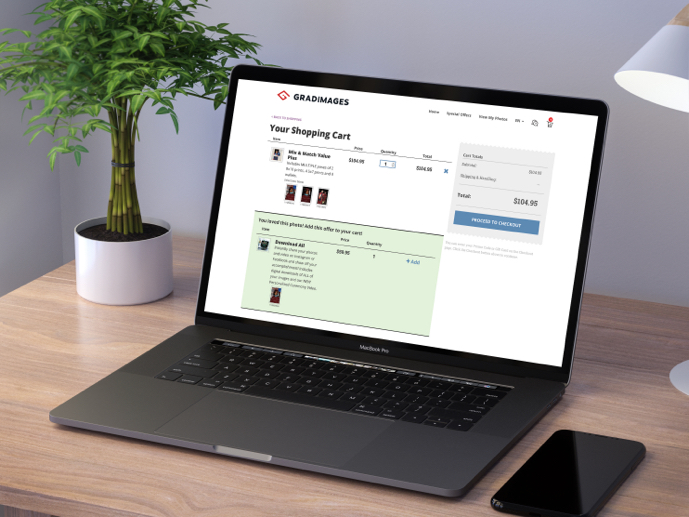
Cart
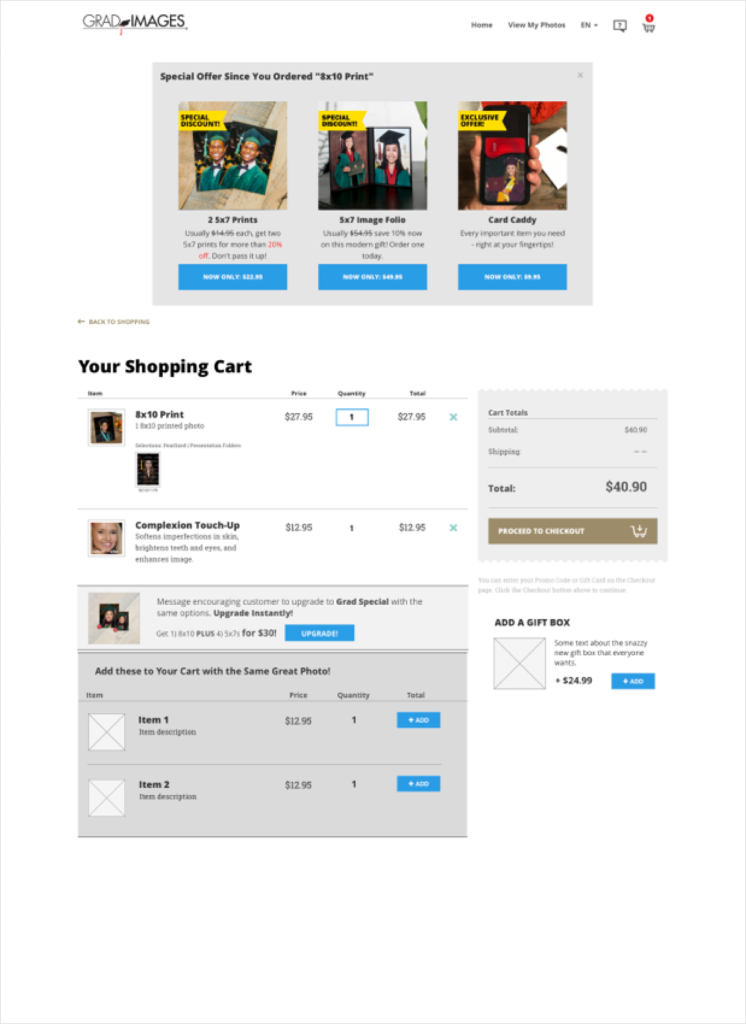
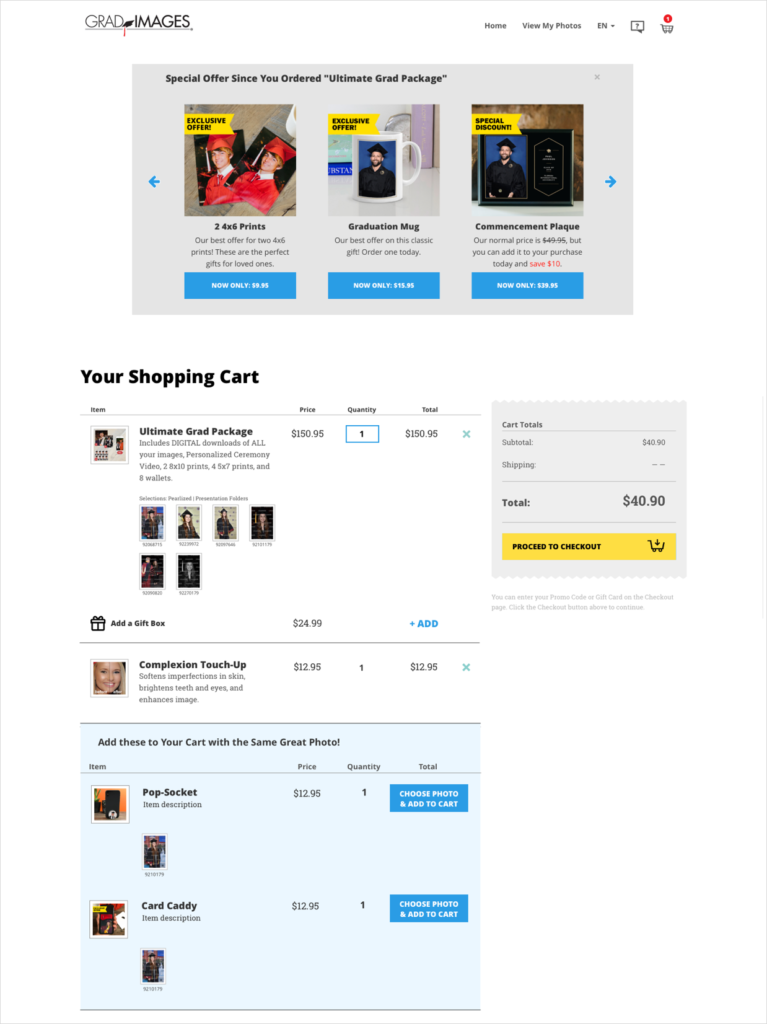
Like the checkout aisle in grocery stores, the cart can offer products through an in-line cross-sell feature.
Key functions and strategy:
- The offer is relevant.
- Distinct from the product the customer added
- Easy to select (and remove).
- Generally lower priced items.
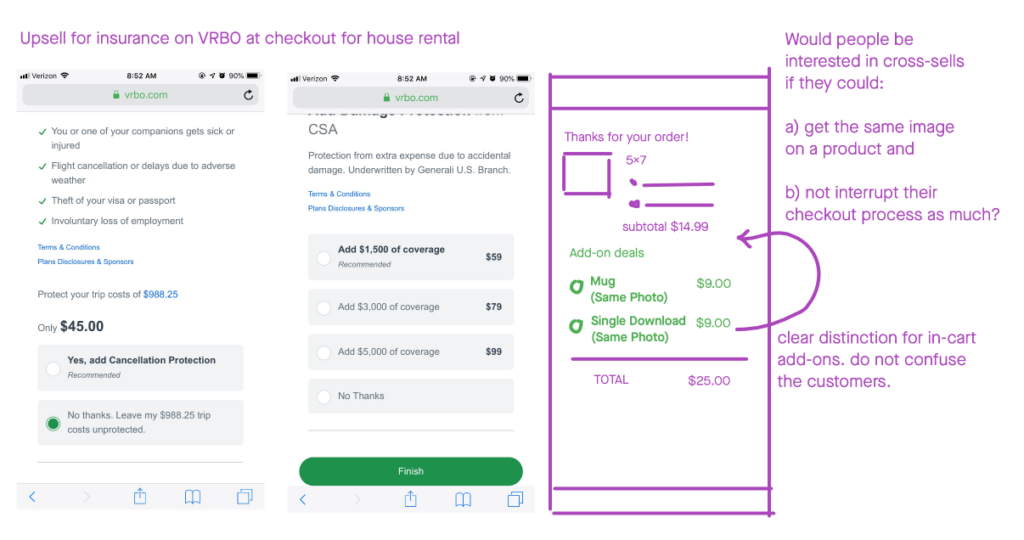
GradImages products are all about the photos. Naturally, the customer needs to select a photo for any given product. Because of this, an in-line cart offering would not be as simple as similar features on other e-comm sites.
We explored ways to allow customers to select a photo for an in-cart cross-sell.
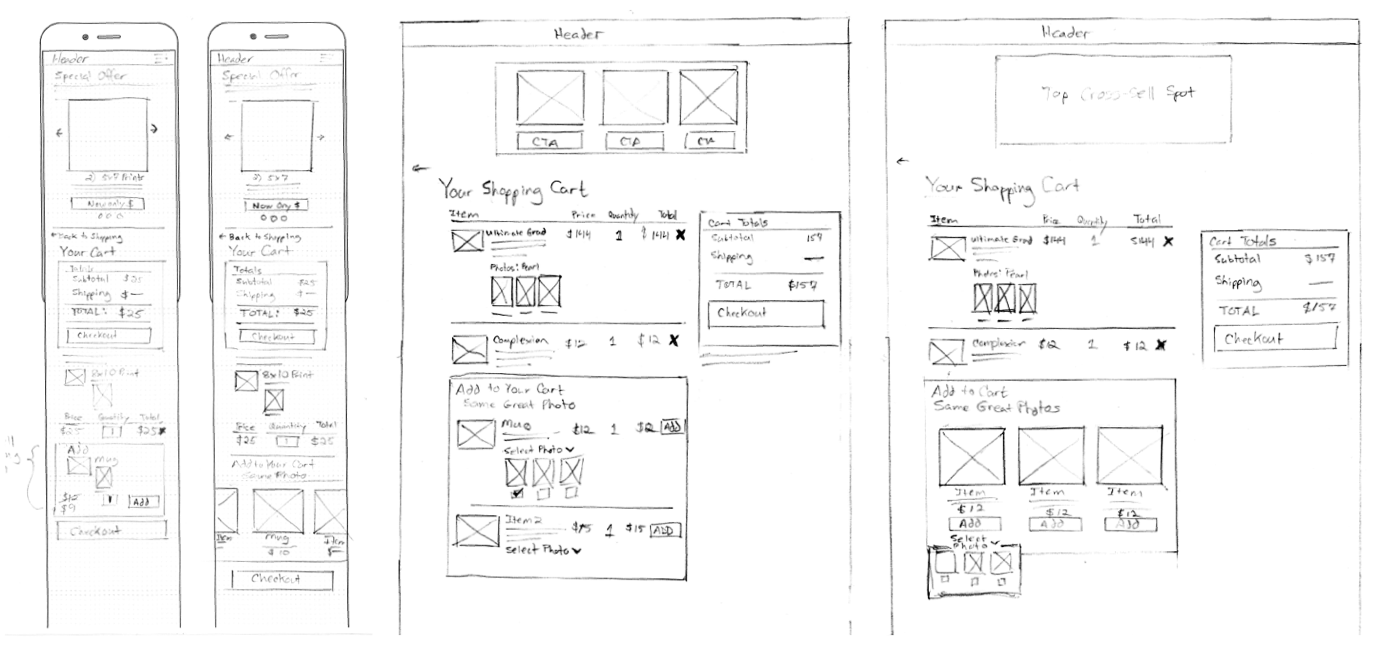
After looking at sketches/wires and collaborating with development, adding photo selection to in-cart cross-sells customers was too complex.
The process was too complicated for an in-cart experience. The development effort was also more than we were able to handle for a new feature. We agreed to see how successful the feature would be without photo options and see it next steps would be worth it.
Conclusion
When the Upsells/Cross-sells project first came up, my brain said “Boo, no fun, boooo!”
But it turned out that it was super fun digging into comparative research, seeing how they might be adapted to our site, and coming up with two new solutions:
- were helpful to customers (or at least didn’t get in their way) and
- were two significant contributors to the Marketing Team’s goals.
Seriously, I’m still pretty puffed up about it.